Digital Signature Certificate (DSC)
Book a Free Consultancy
Book a Free Consultancy
What is a Digital Signature Certificate?
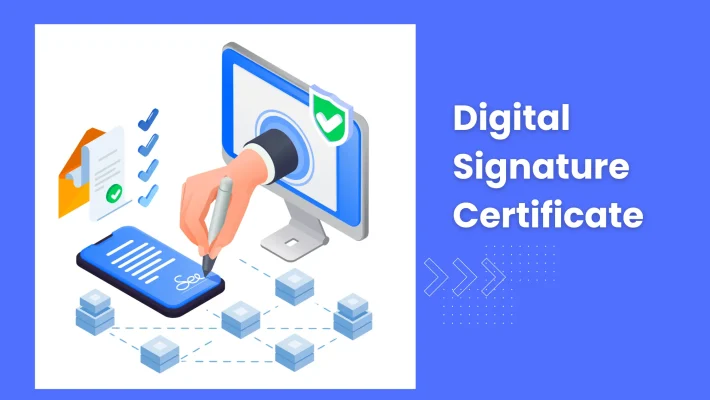
A Digital Signature Certificate, commonly known as a DSC, is an electronic document that serves as the digital equivalent of a handwritten signature or a physical stamp. It is issued by a licensed Certifying Authority (CA) approved by the Controller of Certifying Authorities (CCA) under the Information Technology Act, 2000.
A DSC cryptographically binds the identity of the certificate holder to a public key using Public Key Infrastructure (PKI) technology. When you sign a document digitally using your DSC, it creates a unique, encrypted signature that cannot be replicated, forged, or altered after signing. This makes digitally signed documents legally valid, tamper-proof, and admissible as evidence in Indian courts.
In India, a DSC is mandatory for a wide range of government filings and regulatory submissions from company incorporation on the MCA portal to income tax returns, GST filings, customs and DGFT transactions, e-tenders, and export-import documentation. Without a valid DSC, many of these processes simply cannot be completed online.

Legal validity of a DSC:
Under the Information Technology Act, 2000, a document signed with a valid Digital Signature Certificate has the same legal standing as a document signed with a physical handwritten signature. Indian courts and government authorities accept digitally signed documents as legally valid proof.
Types of Digital Signature Certificates in India
DSCs in India are classified into different classes based on their security level and the type of transactions they are used for. Understanding which class applies to your use case ensures you apply for the right certificate from the start.
Class 1 DSC
A Class 1 DSC verifies the name and email ID of the certificate holder against a database. It is used for securing personal email communication and basic online identity verification. It is not accepted for most government filings or business transactions. For any serious business or regulatory use, Class 1 is insufficient.
Class 2 DSC
Class 2 DSC was widely used for MCA filings, income tax returns, and ROC submissions. However, Class 2 DSC was discontinued by the CCA in January 2021 and replaced entirely by Class 3 DSC. If you hold an older Class 2 DSC that has expired, you must renew it as Class 3. Class 2 DSCs are no longer issued.
Class 3 DSC
Class 3 DSC is the current standard for all business and regulatory use in India. It offers the highest level of security and identity verification, requiring in-person or video-based KYC verification by the Certifying Authority before issuance. Class 3 DSC is mandatory for company incorporation on MCA, DGFT filings, ICEGATE (customs), e-tendering portals, income tax filings for companies, and GST-related compliance where DSC is required.
Which DSC do you need in 2025?
Class 3 DSC is the only class currently issued in India for business use. Whether you are registering a company, filing your income tax return, using the DGFT portal, or participating in government e-tenders — Class 3 DSC is the correct certificate to obtain.
Where is a DSC Required in India?
A DSC is not just useful in many situations; it is legally mandatory. Here is a comprehensive overview of where a Digital Signature Certificate is required:
Ministry of Corporate Affairs (MCA) Company and LLP Filings
Every director of a private limited company, LLP, or OPC must hold a valid Class 3 DSC before the incorporation process can begin. All SPICe+, FiLLiP, and annual compliance forms filed on the MCA21 portal must be digitally signed by the director or authorised signatory using a DSC. Without a DSC, no MCA filing is possible.
Income Tax - Returns and Compliance
Companies, LLPs, and firms whose accounts are required to be audited must file their income tax returns using a DSC. The authorised signatory, typically the director or managing partner, must sign the ITR verification electronically using a valid DSC. Individual filers can use Aadhaar OTP as an alternative, but corporate entities are required to use DSC.
GST Filings
For companies registered under GST, the authorised signatory for GST filings must hold a valid DSC. This applies to GST registration, GST return filing, amendments, and appeal-related submissions. Individuals and proprietors can use Aadhaar OTP or EVC for verification, but companies must use DSC.
DGFT - Import Export Code and Export-Related Filings
The Directorate General of Foreign Trade (DGFT) portal requires a DSC for IEC (Import-Export Code) registration and modifications, as well as for various export licensing and SEIS/RoDTEP claim filings. Exporters who regularly use the DGFT portal must maintain a valid, current DSC to avoid interruptions to their filings.
ICEGATE - Customs and Shipping Bill Filings
Exporters filing shipping bills and importers filing bills of entry on the ICEGATE portal are required to use a DSC for authentication and document signing. Without a DSC, customs-related electronic filings are not possible, which directly impacts the clearance of shipments.
E-Tendering and Government Procurement
All government and PSU e-tendering portals, including GeM (Government e-Marketplace), CPPP (Central Public Procurement Portal), and state-level tender portals, require bidders to hold a valid Class 3 DSC for bid submission, document upload, and tender participation. A business that wants to participate in government contracts cannot do so without a current DSC.
EPFO, ESIC, and Provident Fund Filings
Employers filing PF and ESI returns on the EPFO and ESIC portals must authenticate filings with a DSC. This applies to any company or LLP with employees registered under these schemes.
Patent, Trademark, and IP Filings
Online filings on the IP India portal – for trademark registration, patent applications, and design registrations – can be digitally signed using a DSC, ensuring the authenticity and integrity of the submitted application.
Who Needs a DSC?
A DSC is needed by a wide range of individuals and organisations across business, professional practice, and government compliance:
• Directors and designated partners of private limited companies, OPCs, and LLPs for MCA incorporation and annual filings
• Proprietors and partners of firms who file income tax returns, GST returns, or DGFT filings electronically
• Chartered Accountants, Company Secretaries, and Cost Accountants for signing audit reports, ROC filings, and certifications on behalf of clients
• Individuals and businesses participating in government e-tenders and GeM procurement
• Importers and exporters using the ICEGATE and DGFT portals
• Lawyers and legal professionals filing documents on e-courts and online legal portals
• Authorised signatories of companies for GST-related filings
• Individuals filing income tax returns who prefer or are required to use DSC for verification
Documents Required for DSC Registration
The documents required depend on whether the DSC is being obtained for an individual or for an organisation. Here is the complete list:
For Individual DSC
• PAN Card – mandatory, primary identity document
• Aadhaar Card – for address and identity verification
• Passport-size photograph – recent, colour, white background
• Personal email ID and mobile number – for OTP-based eKYC verification
• Address proof – utility bill, bank statement, or Aadhaar (if Aadhaar address is to be used)
For Organisation DSC (Company or LLP)
• PAN Card of the applicant individual (director, partner, or authorised signatory)
• Aadhaar Card of the applicant
• Certificate of Incorporation – for companies and LLPs
• Board Resolution or authorisation letter – authorising the specific individual to obtain the DSC on behalf of the organisation
• Organisation PAN Card
• Passport-size photograph of the applicant
• Email ID and mobile number of the applicant – for eKYC verification
eKYC verification: Class 3 DSC issuance requires a video-based or in-person KYC verification by the Certifying Authority. Most Certifying Authorities now offer video KYC (also called face-to-face video verification) which can be completed online without visiting an office – making the entire DSC application process fully remote.
Documents Required for DSC Registration
A Digital Signature Certificate is issued with a defined validity period typically 1 year or 2 years from the date of issuance, depending on the option chosen at the time of application. Once the validity period expires, the DSC can no longer be used to sign documents, and any attempt to use an expired DSC for government filings will be rejected by the portal.
Renewing Your DSC Before Expiry
It is advisable to renew your DSC at least 30 days before the expiry date. Most government portals display the expiry date of the DSC associated with your login, making it easy to track. Renewal involves going through the KYC verification process again and paying the renewal fee. The process is the same as a fresh application.
Consequences of an Expired DSC
An expired DSC cannot be used for any filing, signing, or authentication purpose. If a director’s DSC expires during an active MCA filing cycle, for example, during an ongoing annual return submission, the filing is blocked until the DSC is renewed. For exporters, an expired DSC on ICEGATE or DGFT means pending shipment clearances and filing submissions cannot proceed until the certificate is renewed.
Track your DSC expiry date actively.
Set a reminder 30 to 45 days before your DSC expires. A lapsed DSC at a critical filing moment, such as the income tax return deadline or an MCA annual return due date, can result in late filing penalties that far exceed the cost of timely DSC renewal.
DSC and the USB Token - What You Need to Know
A Class 3 DSC is stored on a cryptographic USB token, a hardware device that looks similar to a standard USB drive but contains a secure chip that stores the private key of your digital signature. The private key never leaves the USB token, which makes it impossible to duplicate or extract.
• When you receive your DSC, it is loaded onto a USB token by the Certifying Authority or its registered agent
• To sign a document digitally, you plug the USB token into your computer and enter the token’s PIN. Only then can the DSC be used for signing
• The PIN is set at the time of DSC issuance. Keep it confidential and do not share it with anyone
• If the USB token is lost or damaged, the DSC stored on it cannot be recovered — a fresh DSC application must be made
• Each USB token can typically store one DSC if you need DSCs for multiple directors, each requires a separate token
• Some portals also support cloud-based DSC using a software token; check portal-specific requirements before applying
Common Mistakes When Applying for a DSC
• Applying for Class 1 or Class 2 DSC when Class 3 is required, Class 2 is discontinued, and Class 1 is not accepted for most business filings
• Name mismatch between PAN and Aadhaar, even a minor spelling difference, causes the eKYC verification to fail
• Not keeping the USB token PIN safe, losing or forgetting the PIN locks the token and renders the DSC unusable
• Applying for a DSC at the last minute before a filing deadline, eKYC and issuance take 1 to 2 working days; plan in advance
• Not renewing the DSC before expiry, an expired DSC blocks all associated government portal filings until renewed
• Not updating the DSC on government portals after renewal, some portals require you to re-register the new DSC against your account after renewal
• Sharing the USB token PIN with colleagues, CA, or service providers, your DSC is your digital identity; its PIN must be kept strictly private

























































































I got my Trademark and Startup India Certificate through xLegal. The experience was excellent, and the team was very cooperative and professional!
-Rajesh Murli, UP
I took legal drafting services from xLegal. The team was very helpful and resolved my legal issues smoothly. Highly recommended!
-Amit Kumar, Rajasthan
I was confused with different advice about ISO, but the xLegal team guided me perfectly and suggested the right non-audit IAF ISO for my company. Thanks to xLegal for making it easy!
-Aman Reddy, Bihar
One of the best legal services I had ever opt out. Got two trademark with so much ease
-Roshan Industry
xLegal Team is very responsible, last month I done my trademark from them
Akash Raut
Highly recommended
Amit singh
The company provides outstanding Services.
Ashutosh Kumar
I got my ISO done here ... service is nice.
Suraj Kumar
The mode of working is very professional, highly recommended
vivek sharma
I highly recommend XLegal and Associates to anyone in need of top-notch lagal services. Their professionalism , expertise and client focused approach are truly appreciable.
Gourav Kumar
immensely satisfied taking services from here
Sumit Dhawan
I recently engaged the services of XLegal & Associates, and I am incredibly satisfied with the outcome. From start to finish, their team exhibited a high level of professionalism, expertise, and dedication.
Roshan Kumar
Exceptional services and always reliable. Highly recommend it for all your business certification needs!
Indian Thought, Local Guide








Need expert assistance? xLegal Team provides end-to-end support for this. Contact us at +91 9319661668, info@xlegal.in